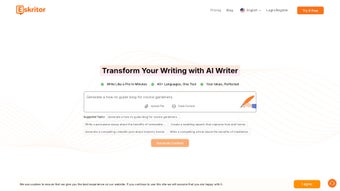

Download Eskritor AI Writer – AI‑powered content creation tool for writers, marketers, and students
Overview
Eskritor AI Writer is a web‑based, subscription‑driven application that leverages advanced artificial intelligence to streamline every stage of the writing process. Whether you’re drafting a long‑form article, a quick social‑media update, a persuasive marketing copy, or an academic essay, Eskritor offers a suite of smart features designed to boost speed, improve readability, and ensure originality. The platform works entirely in the browser, meaning there’s no need for bulky installations or frequent updates—just a stable internet connection and a modern browser.
One of the standout capabilities is its ability to generate targeted follow‑up questions, allowing writers to anticipate reader curiosity and expand their content organically. Additionally, Eskritor can automatically adjust text length, rephrase sentences for tone consistency, and embed relevant statistics, lists, and examples to make the final output more engaging. With support for over 40 languages, the tool is truly global, and its specialized modules for advertising, marketing, and academic writing make it a versatile companion for professionals across industries.
Security is baked in; all user data is encrypted during transmission and stored on compliant cloud servers, giving peace of mind for confidential projects. In short, Eskritor AI Writer promises a faster, smarter, and more reliable way to produce high‑quality written material without the usual writer’s block.
Key Features
- AI‑Generated Drafts: Instantly produce article outlines, blog posts, speeches, and social media captions based on simple prompts.
- Follow‑Up Question Engine: Automatically suggests relevant questions to deepen content and improve SEO relevance.
- Length & Tone Control: Adjust word count on the fly and switch between formal, casual, or persuasive tones.
- Rephrase & Rewrite: One‑click paraphrasing to avoid duplication and enhance readability.
- Readability Optimizer: Real‑time suggestions for sentence structure, active voice usage, and grammar correction.
- Data Enrichment: Insert statistics, bullet‑point lists, and concrete examples to back up claims.
- Multilingual Support: Write fluently in more than 40 languages, with language‑specific style guides.
- Domain‑Specific Modes: Tailored AI models for advertising copy, marketing funnels, and academic citations.
- Plagiarism Checker: Built‑in similarity detection to ensure every piece is unique.
- Secure Cloud Storage: Encrypted saving of drafts, version history, and export options (PDF, DOCX, HTML).
Installation, Usage & Compatibility
Getting Started – No Download Required
Eskritor AI Writer is entirely web‑based, so there is no traditional installation process. To begin, visit the official website, click the “Sign Up” button, and choose a subscription tier that fits your needs (monthly or annual plans are available). After confirming your email, you’ll be directed to the dashboard where the writing interface loads instantly.
Step‑by‑Step Usage Guide
- Create a New Project: Select the type of content you want to produce – article, blog post, speech, or social media update.
- Enter a Prompt: Provide a brief description, keywords, or a headline. Eskritor’s AI will generate a draft within seconds.
- Refine with Controls: Use the sidebar to adjust length, tone, and language. Activate the “Follow‑Up Questions” feature to expand sections automatically.
- Enrich Content: Click “Add Data” to insert statistics, lists, or examples. The AI pulls verified data from reputable sources.
- Review & Edit: The built‑in readability score and plagiarism checker help you polish the final copy.
- Export & Share: Download the document in your preferred format or push it directly to cloud services like Google Drive or Dropbox.
System Requirements & Operating System Compatibility
Because Eskritor runs in the browser, it is compatible with any modern operating system that supports current web standards. Tested platforms include:
- Windows 10/11 (Edge, Chrome, Firefox)
- macOS Monterey and later (Safari, Chrome, Firefox)
- Linux distributions with recent browsers
- iOS 14+ and Android 9+ (via mobile browsers or dedicated progressive web app)
The application automatically scales to different screen sizes, offering a responsive UI that works equally well on desktops, tablets, and smartphones. A stable internet connection (minimum 3 Mbps) is recommended for optimal AI response times.
Pros, Cons & Expert Review
Pros
- Fast AI‑generated drafts that cut writing time by up to 60 %.
- Robust multilingual support for global teams.
- Specialized modes for marketing, advertising, and academia.
- Integrated plagiarism checker and readability score.
- Secure cloud storage with version history.
Cons
- Subscription model may be pricey for occasional users.
- Heavy reliance on internet connectivity; offline work is not possible.
- Some niche industry jargon may require manual fine‑tuning.
Rating: 4.5 / 5
Eskritor AI Writer delivers a compelling blend of speed, versatility, and security. Its ability to generate context‑aware follow‑up questions sets it apart from generic AI editors. While the subscription cost is higher than some free alternatives, the productivity gains and built‑in compliance features justify the investment for professionals and businesses alike.
Frequently Asked Questions
Is there a free trial for Eskritor AI Writer?
Yes, Eskritor offers a 7‑day free trial with full access to all premium features. No credit card is required to start the trial.
Can I use Eskritor offline?
No. Because the AI processing happens on cloud servers, a stable internet connection is required for all drafting and editing functions.
How does Eskritor ensure the content is plagiarism‑free?
Eskritor integrates a real‑time plagiarism checker that scans the generated text against billions of web pages and academic databases, flagging any matches before you export the final document.
What payment methods are accepted for the subscription?
The platform accepts major credit cards (Visa, MasterCard, American Express), PayPal, and Apple Pay for eligible regions.
Is my data safe when using Eskritor?
Yes. All data transmission is encrypted with TLS 1.3, and stored drafts are kept on ISO‑27001‑certified servers with regular security audits.
Conclusion & Call to Action
Eskritor AI Writer stands out as a powerful, secure, and user‑friendly solution for anyone looking to accelerate their writing workflow while maintaining high quality. Its AI‑driven drafting, multilingual capabilities, and industry‑specific modes make it suitable for marketers, students, and seasoned authors alike. If you’re ready to eliminate writer’s block, produce SEO‑optimized content faster, and enjoy the peace of mind that comes with built‑in plagiarism protection, download Eskritor AI Writer today and start your free trial. Experience the future of writing—secure, smart, and effortlessly fast.



.png)



